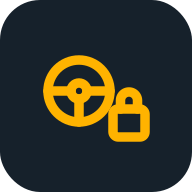
Dashboard warning light

The “Key not detected” light on the dashboard

Yellow lightDon’t put off the repair

The car can’t find the smart key inside. The engine won’t stall while driving, but it may not restart once you stop.

Key not detectedYellow light · Don’t put off the repair

Tap the light to turn it on or off, just like on the dashboard.

What you can do yourself

  1. Make sure the key is in the car. Keep it away from your phone, other keys and metal — they interfere with the signal.
  2. Hold the key right against the Start button and press it: many cars will start this way even with a dead key battery.
  3. Replace the key battery. If that doesn’t help, try the spare key.

The description comes from the AvtoElektrik PRO app.

Oleg’s tip: the colour of the symbol tells you how urgent it is

For example: a red oil pressure or overheating light — stop straight away and switch the engine off. A yellow Check Engine light with the engine running smoothly — drive on and get a diagnosis.

Need a mechanic’s help?

Couldn’t fix it yourself? Oleg, an auto electrician, does computer diagnostics and repairs: he comes out anywhere in Almaty or sees you at his workshop.

Want to figure it out yourself?

Oleg’s free course “Car electrics for drivers”: fuses, the battery, dashboard lights — understand it and check it yourself.

Car electrics for drivers course →

Other lights of this colour

All dashboard warning lights →

Who keeps this reference

The reference is kept by Oleg Dmitriev, an auto electrician from Almaty with 26 years of experience: computer diagnostics of cars and trucks, repair of control units (ECUs). Can’t find the cause? Message him.